Features
Everything Rune does, and how it works.
Pick the best card
Search a store, a brand or a category. Rune compares only the cards you own and shows the best one with an estimated return (rate × point value).
Bonuses with extra conditions, like booking through an issuer's portal or a specific time window, are shown as hints and kept out of the ranking, so the answer is never overstated.
Traveling abroad
Pick where you're spending. When it isn't the country a card was issued in, Rune counts the card's foreign-spending bonus, like the 3x on Atmos Summit, and subtracts its foreign transaction fee. A card with no fee can beat a higher rate that carries a 3% fee.
Fees we haven't verified aren't subtracted. The spending location goes back to the default when you reopen the app.
Bank bonuses
Some banks add a bonus to the points you earn when you have an account or balances with them, like Bank of America's BofA Rewards on Atmos cards. Choose your tier in Settings and Rune includes the bonus in the estimate.
Your choice stays on your phone.
Quarterly bonuses and activation
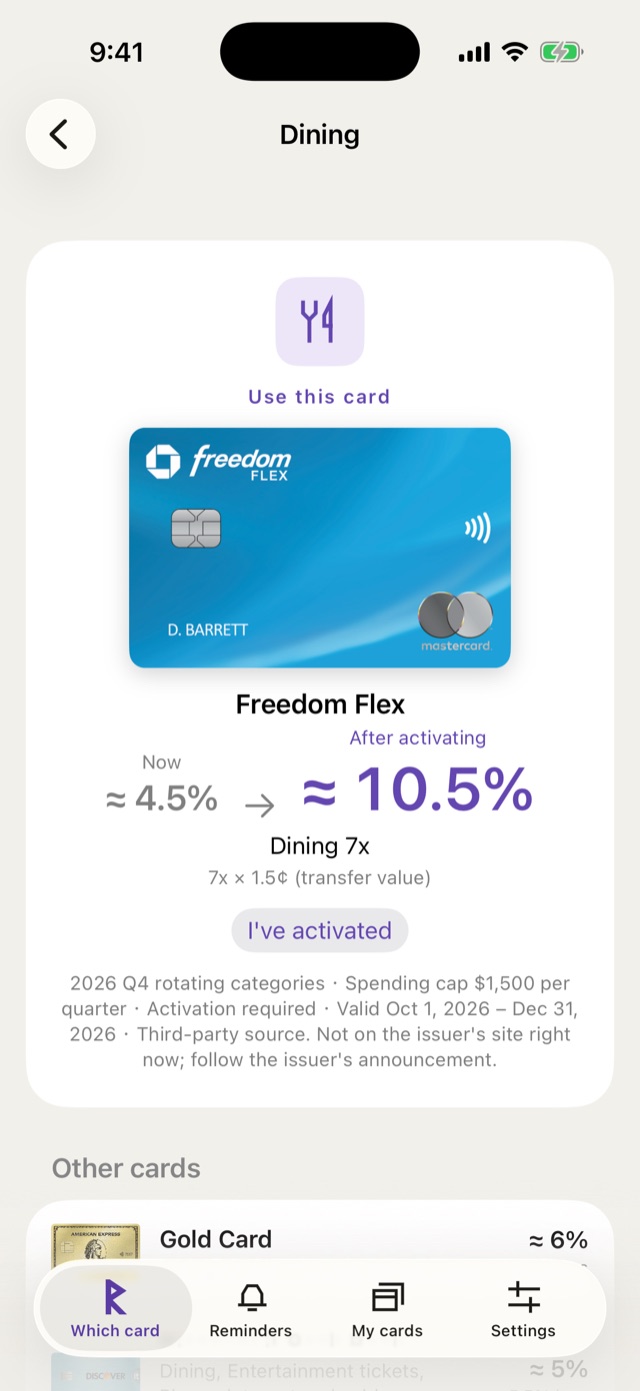
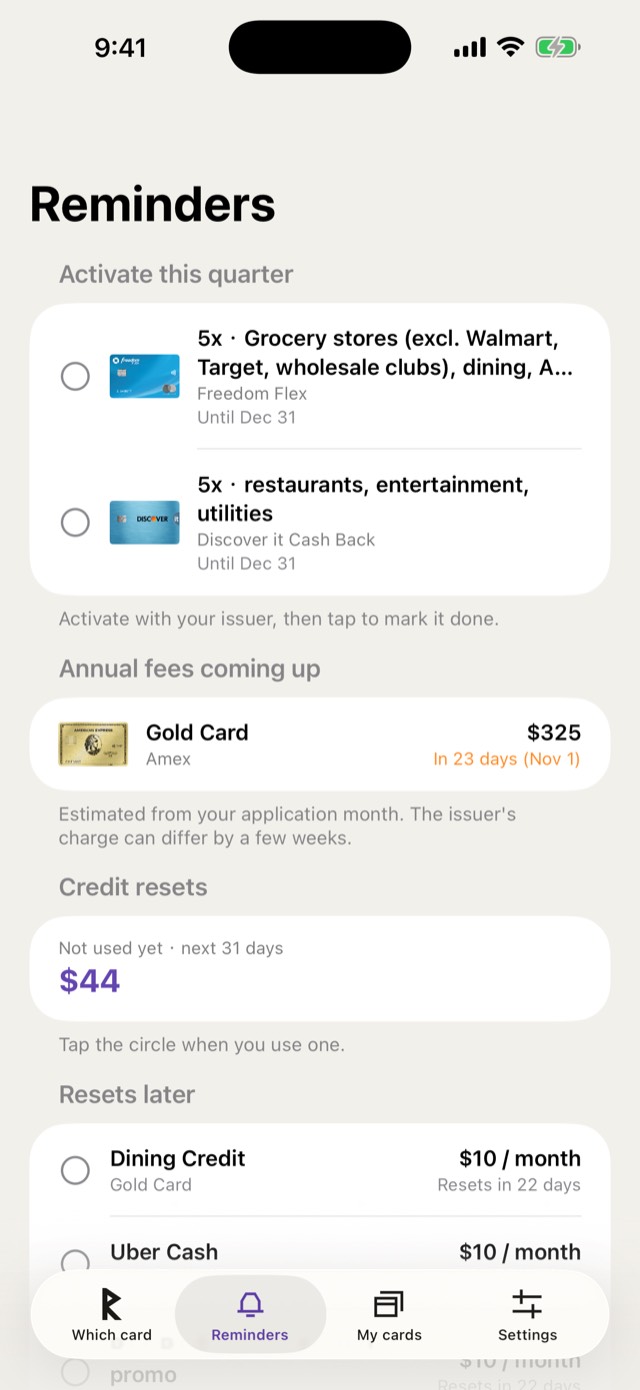
Rotating 5% categories earn only after you activate them with your issuer. Rune reminds you at the start of each quarter and halfway through, and shows what a card earns without activation.
When a card's everyday bonus stacks with the quarterly bonus, Rune shows the stacked rate.
Annual fees and credits
See which annual fees are coming up and which statement credits reset soon, and tick off the ones you've used.
Dates are estimated from your application month; your issuer's actual charge can differ by a few weeks.
The 5/24 rule
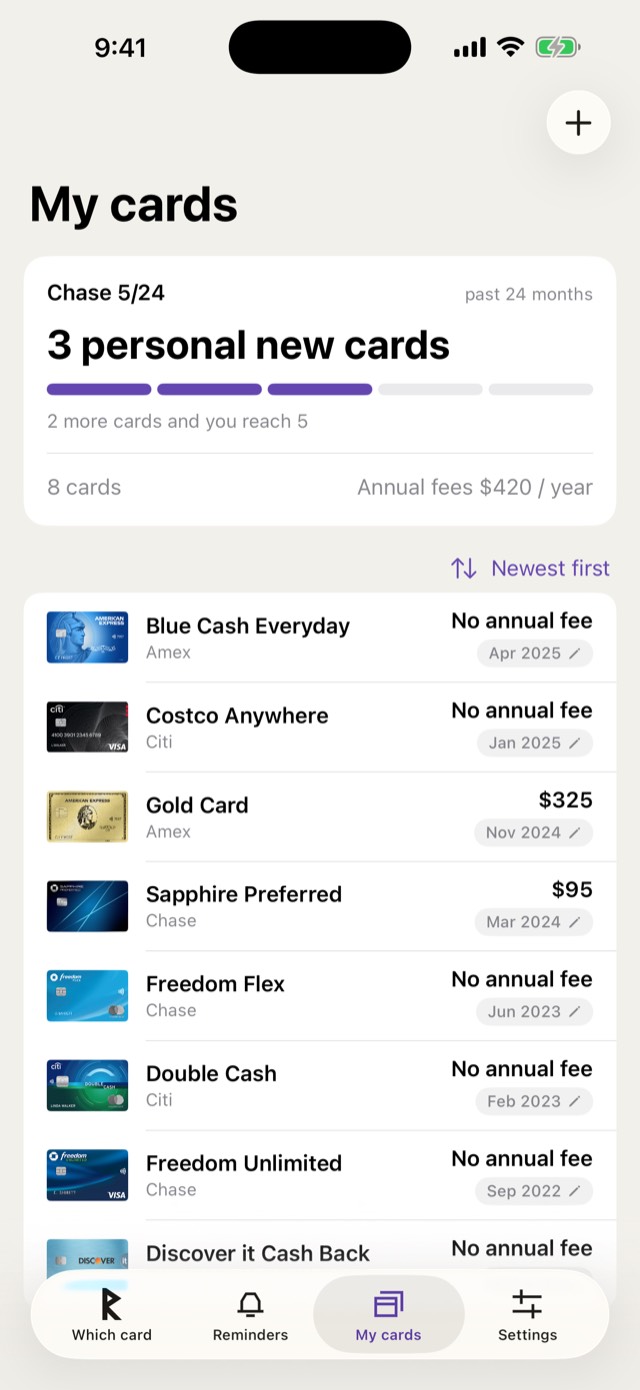
Count the personal cards you opened in the past 24 months. Cards without an application month are flagged.
Business cards are not counted: reports say they can be checked when you apply, but they are usually not reported to your personal credit file.
Family sharing
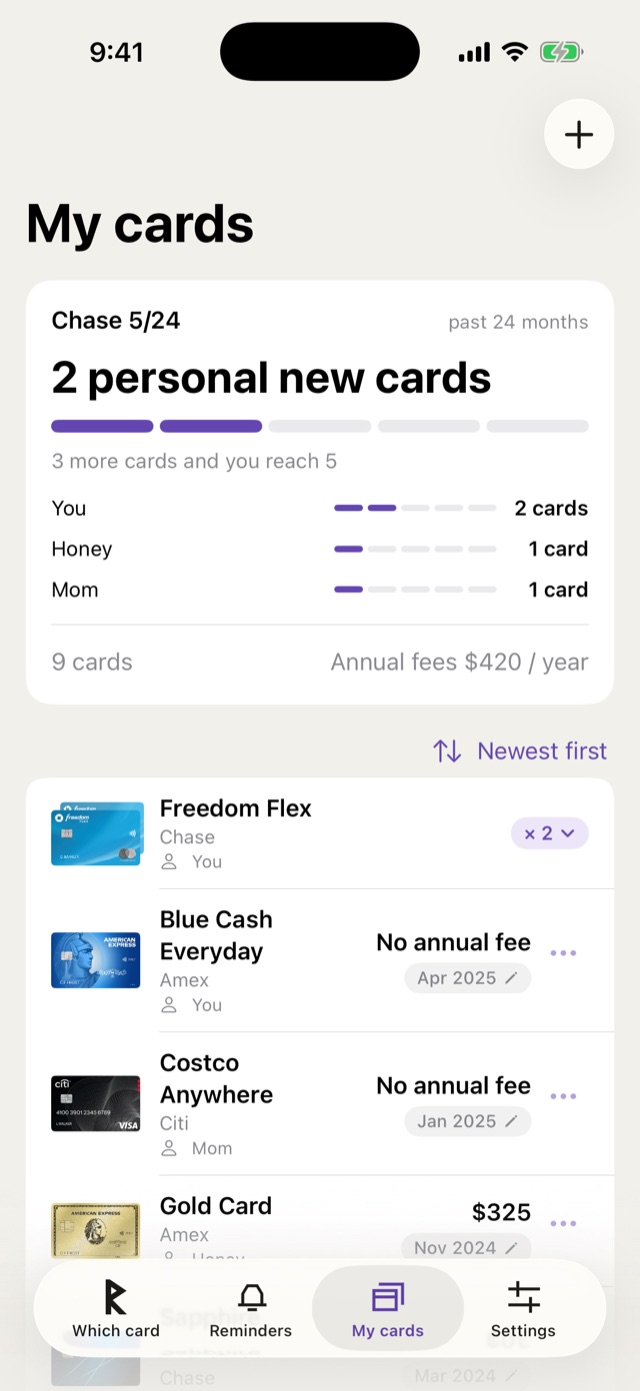
Share your cards with family. See whose name each card is under and each person's own 5/24 count, even when one person manages everyone's cards.
Owners and editors can change cards; viewers can only look.
Privacy
Guest mode works without an account and keeps your cards on your phone. Signing in with Apple or Google backs them up. Your location is used on your phone only and is never uploaded.
Questions?
See the support page or write to us. Support · support@runecredit.com
Right credit card, every time.
Free on iPhone. No account needed.